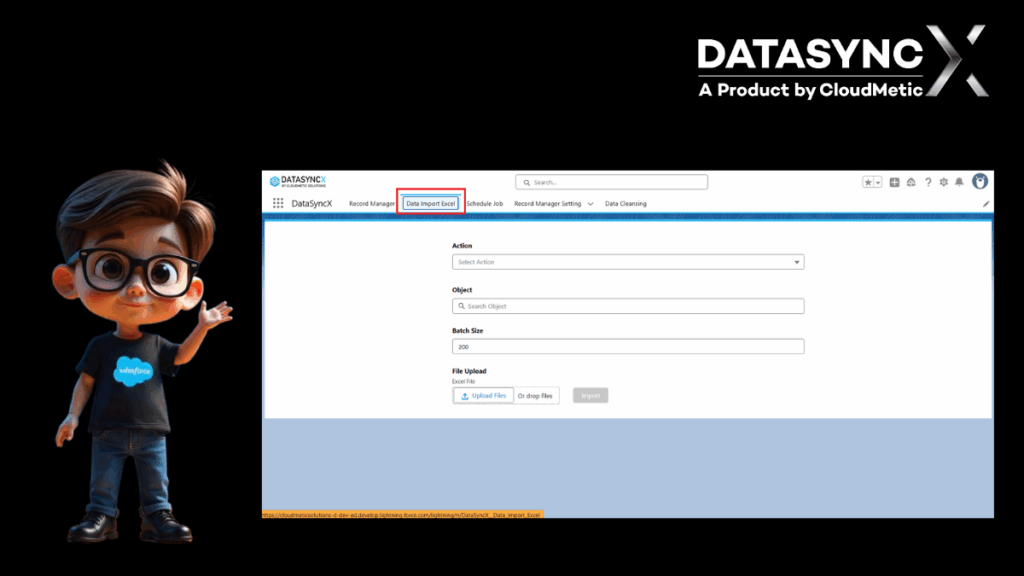
Streamline Your Salesforce Workflow with Data Import Excel
Managing Salesforce records can be a complex and time-consuming task. Data needs to be updated regularly, migrated smoothly, and maintained with accuracy. Traditional manual entry often leads to inefficiencies, errors, and wasted hours. To solve this challenge, Data Import Excel in DataSyncX provides a seamless way to bring data directly from spreadsheets into Salesforce with just a few simple steps.
Why Manual Data Handling Falls Short
Manually entering or updating data in Salesforce is prone to challenges:
Time Consumption – Adding records one by one slows down workflows.
High Risk of Errors – Manual entry increases the chance of typos and mismatched data.
Scalability Issues – As businesses grow, handling large datasets becomes nearly impossible without automation.
These challenges highlight the need for a smarter solution like Data Import Excel.
What Makes Data Import Excel Powerful
The Data Import Excel functionality is designed to simplify the bulk upload of Salesforce data while ensuring accuracy and speed.
Bulk Data Uploads
Instead of uploading records individually, users can import thousands of records from Excel in a single operation. This saves valuable time and makes large-scale migrations or updates efficient.
Easy Field Mapping
Mapping Excel columns to Salesforce fields is straightforward. Users can quickly match the right data points, ensuring that imported information lands in the correct place without confusion.
Built-in Validations
Before the final import, validations check the data for errors. This minimizes the risk of incorrect or incomplete records entering the system, keeping Salesforce data clean and reliable.
Improved Productivity
By reducing repetitive manual work, teams can focus on strategic tasks instead of spending hours handling spreadsheets. The result is a faster, more efficient Salesforce workflow.
Real-World Use Cases
The Data Import Excel feature is not limited to one scenario—it supports a wide range of use cases, such as:
Onboarding New Customers – Upload new client information quickly and accurately.
Data Migration – Transfer records from legacy systems or other tools into Salesforce.
Regular Updates – Keep records current by importing periodic data changes.
Campaign Management – Import lead lists from marketing campaigns into Salesforce with ease.
The Last Words
With DataSyncX, record management goes from frustrating to seamless — whether you’re dealing with a few hundred or a few million records. Check out the application on Salesforce AppExchange.
That’s where DataSyncX makes the difference. By removing the friction from importing, updating, cloning, and deleting, it turns Salesforce record management into a fast, reliable, and stress-free process.